 English
 Italian
 Spanish
 Turkish
 Portuguese
 Dutch
Dutch Korean
 Russian
 French
 German
 Polish
 Arabic
 Hindi
HindiInfrared vs Capacitive Touch Displays: Which Technology Fits Commercial Applications Better?
Touch screen technology has become a standard feature across commercial display equipment. From retail self-service terminals and interactive information kiosks to meeting room displays and educational touch panels, businesses rely on touch interaction to improve user experience and operational efficiency.
Although touch displays appear similar from the outside, the technology behind the screen has a direct impact on performance, maintenance costs, durability, and user satisfaction. Two technologies dominate today's commercial market: infrared touch display and capacitive touch display.
Many buyers focus on screen size or price during procurement, but experienced project managers often begin with a different question: Which touch technology is better suited to the actual application?
The answer depends on where the display will be installed, how often it will be used, and who will interact with it. A shopping mall information kiosk faces different requirements than a classroom interactive display or a corporate meeting room. Selecting the wrong technology may lead to reduced accuracy, higher maintenance costs, or unnecessary investment.
This article compares infrared and capacitive touch technologies from a commercial perspective, explaining how each system works, where it performs best, and what procurement teams should evaluate before making purchasing decisions.
Why Touch Technology Matters More Than Screen Specifications
Commercial buyers often compare resolution, brightness, processor configuration, and operating systems before reviewing the touch technology itself. While these specifications influence visual performance, they do not determine how users interact with the display.
The touch system directly affects the overall user experience.
A responsive touch interface allows customers to complete transactions quickly, students to interact naturally during lessons, and employees to collaborate efficiently during meetings. Delayed responses or inaccurate touch recognition can reduce productivity and create frustration.
For commercial applications, touch performance influences several operational factors:
· User interaction speed
· Multi-user collaboration capability
· Long-term reliability
· Cleaning and maintenance requirements
· Total ownership cost
· Compatibility with different environments
For example, a touch screen kiosk installed in a shopping mall may receive thousands of interactions every day. Durability becomes just as important as display quality.
Meanwhile, a commercial touch display used in a conference room may prioritize writing accuracy, smooth annotation, and wireless collaboration.
Understanding the strengths of different touch technologies helps buyers select equipment that matches the intended application instead of relying on general specifications.
How Infrared Touch Technology Works
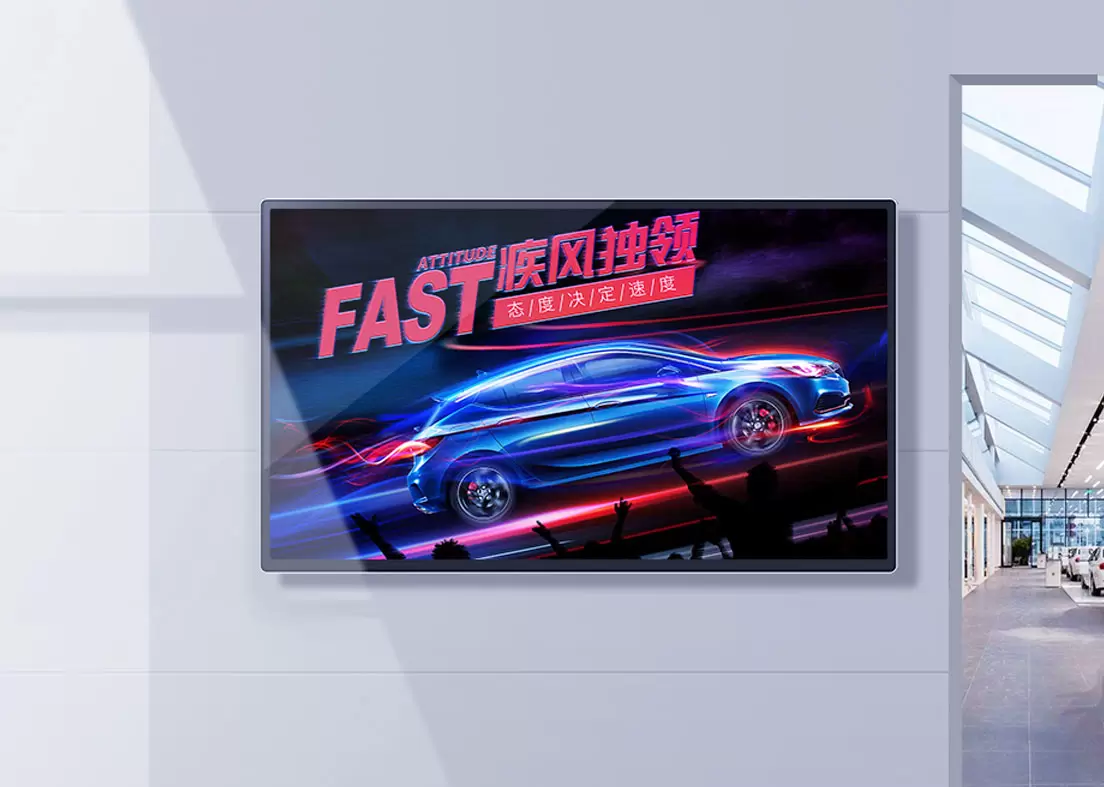
An infrared touch display uses invisible infrared beams arranged around the edges of the screen.
When a finger, stylus, or other object interrupts these infrared beams, the controller calculates the touch position.
Unlike some other touch technologies, infrared systems do not require physical pressure or conductive materials to register input.
This design offers several practical advantages.
Advantages of Infrared Touch Displays
Infrared technology has remained popular for large commercial displays because it performs well in demanding environments.
Common advantages include:
· Supports extremely large display sizes
· Works with fingers, gloves, styluses, or other objects
· Excellent durability under continuous public use
· Easy maintenance due to replaceable touch frames
· Suitable for educational and public environments
Because the sensing components are located around the display rather than embedded inside the glass, infrared systems are commonly selected for:
· Interactive whiteboards
· Large meeting room displays
· Public information kiosks
· Museum interactive displays
· Smart classroom equipment
Large-format displays above 65 inches frequently use infrared technology because it maintains stable touch performance without significantly increasing manufacturing complexity.
How Capacitive Touch Technology Works
A capacitive touch display detects changes in the electrical field created when a conductive object, such as a finger, touches the screen surface.
Instead of using infrared sensors around the frame, capacitive technology integrates sensing layers directly into the display structure.
This allows the screen to respond quickly while maintaining excellent image quality.
Modern smartphones and tablets have made capacitive touch familiar to most users, and the same technology is now widely applied in commercial displays.
Advantages of Capacitive Touch Displays
Capacitive displays are known for their smooth interaction and precise touch response.
Key benefits include:
· High touch accuracy
· Fast response speed
· Smooth gesture control
· Excellent multi-touch performance
· Slim and modern appearance
· High optical clarity
These characteristics make capacitive displays suitable for applications where users expect smartphone-like interaction.
Typical commercial applications include:
· Retail interactive displays
· Digital product catalogs
· Corporate meeting rooms
· Hotel service terminals
· Reception displays
· Interactive advertising displays
As customer expectations continue to increase, many businesses choose capacitive displays to create a more premium interaction experience.
Infrared Touch Display vs Capacitive Touch Display
Both technologies are widely used in commercial environments, but they serve different priorities.
The following comparison provides a practical overview for procurement teams.
Feature | Infrared Touch Display | Capacitive Touch Display |
Touch Method | Infrared sensor grid | Conductive sensing layer |
Response Speed | Fast | Very fast |
Multi-touch Performance | Good | Excellent |
Large Screen Support | Excellent | Good |
Image Clarity | Very good | Excellent |
Glove Operation | Supported | Limited depending on configuration |
Public Environment Durability | Excellent | Excellent |
Premium User Experience | Good | Outstanding |
Typical Applications | Education, kiosks, public displays | Retail, offices, hospitality |
Neither technology is universally better.
Instead, each provides advantages for different commercial environments.
For example, an infrared wall mounted touch screen display may perform exceptionally well in education or government projects where durability and large display sizes are priorities.
A capacitive wall mounted touch screen display may offer a better experience in premium retail environments where precise touch interaction is expected.
Which Industries Benefit Most from Infrared Touch Displays?
Infrared technology has been widely adopted across industries that require reliable performance under continuous operation.
Several sectors particularly benefit from infrared systems.
Education
Interactive teaching requires displays capable of supporting multiple users simultaneously.
Teachers may use fingers, teaching pens, or other pointing tools throughout the day.
Infrared technology provides flexibility while maintaining consistent touch recognition.
Government and Public Services
Public service terminals receive frequent daily use from different users.
Durability and low maintenance become more important than achieving the fastest possible touch response.
Industrial Applications
Industrial environments often require operators to wear gloves.
Because infrared systems can recognize different input objects, they are often selected for factory information systems and industrial control interfaces.
Interactive Information Kiosks
Large public information displays prioritize reliability over extremely precise gesture control.
An infrared floor standing touch screen display is commonly installed in museums, exhibition centers, transportation facilities, and visitor centers because it supports continuous operation while remaining easy to maintain.
Which Industries Benefit Most from Capacitive Touch Displays?
Capacitive technology has become the preferred option for applications where appearance, responsiveness, and precision directly influence the user experience. Users are already familiar with the smooth touch performance found on smartphones and tablets, and they often expect commercial equipment to respond in the same way.
Several industries have rapidly adopted capacitive touch display solutions because of these expectations.
Retail Stores
Retail environments increasingly depend on digital interaction rather than printed materials.
Customers browse product catalogs, compare specifications, search inventory, and even place orders directly from interactive displays.
A commercial touch display with capacitive technology offers:
· Smooth gesture navigation
· Accurate product selection
· Fast page switching
· Excellent image quality
· Premium shopping experience
Luxury brands, electronics retailers, and automobile showrooms frequently prefer capacitive displays because they reinforce a modern brand image.
Corporate Offices
Meeting rooms have changed dramatically over the past decade.
Presentations are no longer limited to PowerPoint slides. Teams now annotate documents, edit drawings together, and share content wirelessly from multiple devices.
A capacitive wall mounted touch screen display provides the precision required for handwriting, annotation, and collaborative discussions.
This is particularly valuable during:
· Project planning
· Product design reviews
· Sales presentations
· Engineering discussions
· Remote collaboration meetings
Hospitality
Hotels, convention centers, and premium office buildings use interactive displays to improve visitor experiences.
Typical applications include:
· Digital reception
· Visitor registration
· Event schedules
· Interactive building directories
· Concierge information
A responsive interface reduces waiting time while creating a more professional impression.
Healthcare
Hospitals and medical centers increasingly use digital displays for patient registration, appointment management, and information services.
Capacitive technology offers responsive operation and supports modern interface designs that are easy for patients to understand.
Environmental Factors That Influence Touch Display Selection
Many purchasing decisions focus on hardware specifications while overlooking the installation environment.
In reality, environmental conditions often determine which touch technology performs better over the long term.
Procurement teams should evaluate several factors before selecting a solution.
User Frequency
Questions worth asking include:
· Will hundreds of people use the display each day?
· Will the equipment operate continuously?
· Will multiple users interact simultaneously?
High-traffic public areas generally prioritize durability and simple maintenance.
Installation Location
The operating environment affects long-term reliability.
Consider whether the display will be installed in:
· Shopping malls
· Schools
· Hospitals
· Transportation hubs
· Exhibition halls
· Office buildings
Each environment creates different maintenance requirements.
Screen Size
Touch technology becomes increasingly important as display size grows.
Large-format displays used for teaching or presentations often benefit from infrared technology because maintaining accurate touch performance across very large surfaces becomes more practical.
Smaller interactive commercial displays frequently favor capacitive technology due to its refined touch response.
User Expectations
Consumer-facing applications demand intuitive interaction.
If users expect an experience similar to smartphones, capacitive technology generally provides the better solution.
If the primary objective is dependable operation in demanding environments, infrared systems remain highly competitive.
Maintenance and Long-Term Operating Costs
Initial purchase price represents only part of the investment.
Commercial displays often remain in operation for five to ten years, making maintenance costs an important consideration.
The following comparison illustrates the operational differences.
Consideration | Infrared Touch Display | Capacitive Touch Display |
Daily Cleaning | Easy | Easy |
Public Use Durability | Excellent | Excellent |
Maintenance Complexity | Low | Low |
Component Replacement | Relatively simple | Depends on panel design |
Long-Term Reliability | Very High | Very High |
Suitable for Continuous Operation | Yes | Yes |
For most commercial projects, reliability has a greater financial impact than the initial purchase price.
Unexpected downtime can interrupt customer service, reduce productivity, and increase maintenance expenses.
Selecting the appropriate technology from the beginning often lowers total ownership costs over the product lifecycle.
Questions Procurement Teams Should Ask Before Ordering
Experienced buyers rarely compare products using specifications alone.
They first identify operational requirements before requesting quotations.
Useful questions include:
· What is the primary application scenario?
· How many users will interact with the display every day?
· Is glove operation required?
· Will handwriting accuracy be important?
· Does the project require Android or Windows?
· Is remote device management necessary?
· Will the display operate continuously for extended periods?
· Is OEM or private branding required?
Clear answers help manufacturers recommend suitable configurations instead of oversized or underpowered solutions.
Why Manufacturing Experience Matters
Commercial touch displays are expected to operate reliably for years rather than months.
Performance depends on much more than the LCD panel itself.
Manufacturing quality affects:
· Structural stability
· Touch calibration accuracy
· Heat management
· Power supply reliability
· Long-term component consistency
· Assembly precision
· Quality control
This is one reason many distributors and system integrators prefer working directly with an experienced touch screen display manufacturer rather than purchasing generic products from multiple sources.
Manufacturers with mature production processes can also provide greater flexibility for project customization.
Typical OEM and ODM options include:
· Screen size customization
· Android or Windows operating systems
· Camera integration
· NFC or QR code modules
· Barcode scanner compatibility
· Printer integration
· Logo customization
· Housing color options
· Floor-standing or wall-mounted structures
These capabilities simplify deployment across retail, education, healthcare, hospitality, and corporate environments.
Matching the Right Touch Solution to Different Applications
No single touch technology fits every project.
Successful deployments begin by matching the display to the intended use rather than selecting the most advanced specification.
The following examples illustrate common choices.
Application | Recommended Solution |
Interactive Classroom | Infrared Wall Mounted Touch Screen Display |
Corporate Meeting Room | Capacitive Wall Mounted Touch Screen Display |
Shopping Mall Directory | Capacitive Floor Standing Touch Screen Display |
Museum Information Display | Infrared Floor Standing Touch Screen Display |
Government Service Center | Infrared Touch Display |
Premium Retail Store | Capacitive Touch Display |
Hotel Digital Reception | Capacitive Commercial Touch Display |
Public Information Center | Infrared Interactive Display |
The most successful commercial projects balance usability, reliability, maintenance requirements, and budget rather than focusing on a single specification.
From Individual Displays to Complete Interactive Display Solutions
As commercial environments become increasingly connected, businesses are moving beyond standalone displays.
Today's projects often combine multiple technologies into one integrated solution.
A retail chain, for example, may deploy:
· Interactive touch displays for product browsing
· Digital signage for promotions
· Information kiosks for customer assistance
· Self-service terminals for transactions
· LCD video walls for brand presentation
Using equipment from a single supplier helps maintain consistent appearance, software compatibility, and after-sales support across the entire project.
Manufacturers with broad product portfolios are better positioned to support these multi-device deployments while maintaining consistent quality standards.
Choosing between an infrared touch display and a capacitive touch display is not about identifying which technology is more advanced. The better choice depends on how the display will be used, who will interact with it, and the environment in which it will operate.
Infrared technology continues to perform exceptionally well in education, government facilities, museums, industrial sites, and other public environments where durability, flexible input methods, and support for large-format screens are priorities.
Capacitive technology delivers a smoother and more responsive experience for retail, hospitality, corporate collaboration, and customer-facing applications where precision and premium interaction play a larger role.
For distributors, system integrators, and project contractors, selecting the appropriate touch technology early in the planning stage reduces deployment risks, minimizes maintenance costs, and improves long-term customer satisfaction.
Manufacturers such as Fvasee, with experience across infrared wall mounted touch screen displays, infrared floor standing touch screen displays, capacitive wall mounted touch screen displays, and capacitive floor standing touch screen displays, can support a wide range of commercial projects while providing OEM and ODM capabilities tailored to different industries.
As interactive technologies continue to expand across education, retail, healthcare, transportation, and smart commercial spaces, selecting the right touch solution will remain one of the most important decisions behind every successful digital display project.