 English
 Italian
 Spanish
 Turkish
 Portuguese
 Dutch
Dutch Korean
 Russian
 French
 German
 Polish
 Arabic
 Hindi
HindiWhy Touch Accuracy Matters More Than Screen Size in Commercial Touch Displays
Large displays often receive the most attention during the purchasing process. Buyers compare screen sizes, resolutions, and appearance before looking at the specifications that actually influence daily operation. While a larger display can improve visibility, it does not automatically create a better interactive experience.
For applications that depend on user interaction, touch accuracy has a much greater impact on performance than screen size alone. Whether installed as a commercial touch display, touch screen kiosk, interactive directory, or conference room display, every touch command should be recognized quickly and precisely. Delayed responses, inaccurate positioning, or inconsistent touch recognition can reduce efficiency, frustrate users, and increase maintenance requests.
As touch technology becomes common across retail, education, healthcare, transportation, hospitality, and public services, businesses are paying closer attention to how displays perform under continuous use rather than simply comparing hardware specifications. Reliable touch performance improves user satisfaction, shortens interaction time, and helps organizations deliver smoother digital services.
This discussion looks at the technical and practical factors that influence touch accuracy, why different touch technologies perform differently across commercial environments, and what procurement teams should evaluate before investing in interactive display equipment.
Touch Accuracy Directly Affects the User Experience
Every touch interaction represents communication between a person and a display.
If the screen reacts immediately and accurately, users complete tasks naturally. If multiple touches are required before the display responds, confidence in the equipment quickly decreases.
Unlike traditional displays that only present information, interactive touch displays require continuous input from users. Every delay, missed touch, or inaccurate position becomes immediately noticeable.
Common situations where touch precision matters include:
· Self-service check-in
· Information lookup
· Interactive navigation
· Product selection
· Digital ordering
· Meeting collaboration
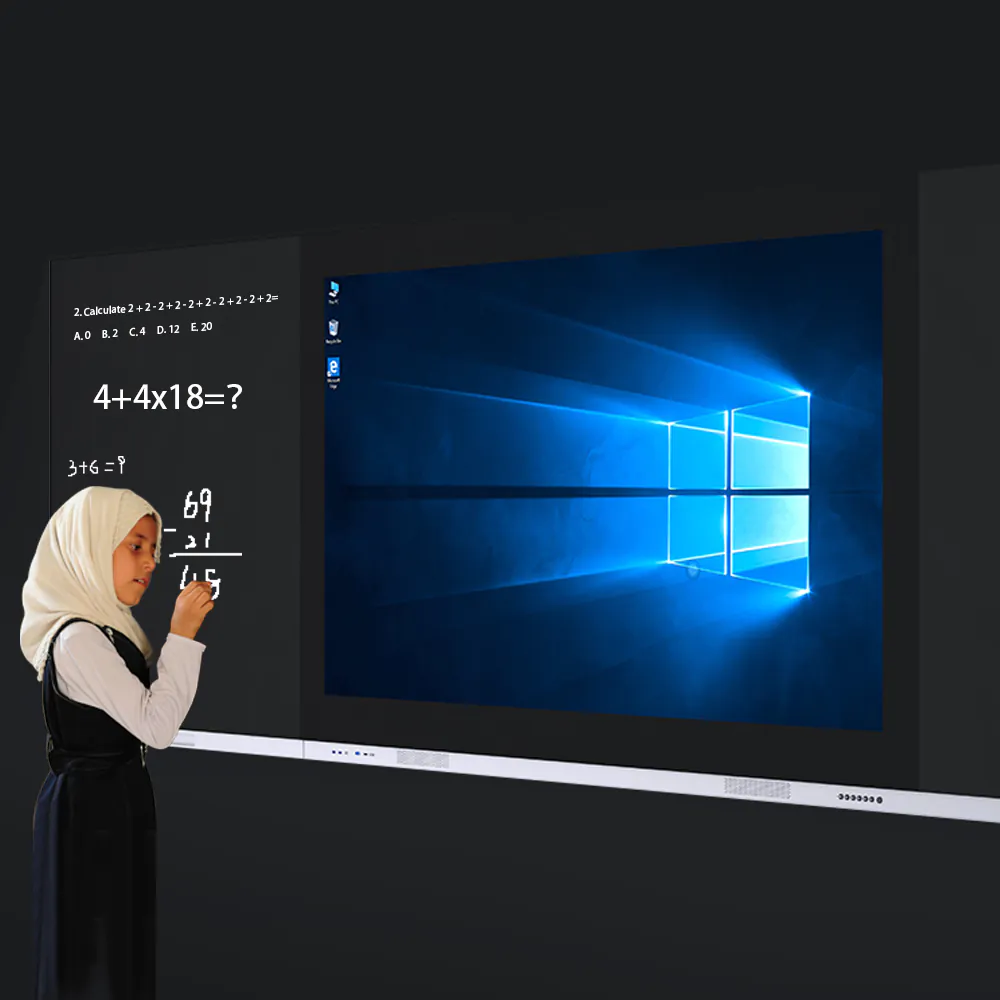
· Classroom annotation
In these applications, responsiveness contributes directly to operational efficiency.
For example, a visitor using a touch screen kiosk expects menus to open instantly after touching the display. If commands are delayed or inaccurate, the interaction becomes slower, resulting in longer queues and reduced customer satisfaction.
Similarly, meeting participants using a commercial touch display expect handwriting to follow the stylus naturally without visible offset. Even small positioning errors become distracting during presentations.
These practical examples explain why experienced buyers increasingly prioritize touch quality over screen dimensions.
Larger Displays Require Greater Touch Precision
Increasing screen size introduces new technical challenges.
As displays become larger, touch coordinates must remain accurate across the entire panel. Users expect identical responsiveness whether touching the center of the screen or the outer corners.
Maintaining this consistency requires careful engineering.
Several factors influence touch precision on large-format displays:
· Sensor positioning
· Signal processing
· Display calibration
· Protective glass thickness
· Controller performance
· Firmware optimization
Without proper calibration, larger displays may experience positional deviations near screen edges, particularly during multi-user interaction.
This is why high-quality large touch screen displays undergo extensive factory calibration before shipment.
The objective is not only accurate touch detection but also consistent performance throughout the entire interactive area.
Different Touch Technologies Deliver Different Results
Not every commercial application requires the same touch technology.
Choosing the correct solution depends on how people will interact with the display.
Touch Technology | Typical Commercial Applications | Primary Advantages |
Capacitive Touch Display | Retail, meeting rooms, hospitality | High precision, smooth touch experience |
Infrared Touch Display | Education, public information, large interactive displays | Supports multiple input objects and large screen sizes |
Optical Touch Solutions | Specialized commercial systems | Flexible installation options |
Each technology offers different strengths.
Capacitive touch displays provide excellent finger tracking and smooth gesture recognition, making them suitable for conference rooms, retail environments, and commercial presentation systems.
Infrared touch displays detect interruptions in infrared beams surrounding the screen. Because they are not limited by conductive touch, they support fingers, gloves, and styluses, making them practical for educational environments and public installations.
Rather than asking which technology is universally better, buyers should evaluate which solution best matches their operating environment.
Response Speed Is Just As Important As Accuracy
Touch accuracy determines where a command is recognized.
Response speed determines when users see the result.
Even perfectly accurate touch positioning cannot compensate for slow system response.
Several components influence overall responsiveness:
· Touch controller
· Operating system optimization
· Display processor
· Memory performance
· Software design
Modern touch screen all in one PC solutions combine touch hardware with integrated computing platforms, helping reduce communication delays between the touch sensor and operating system.
This integrated architecture often provides smoother interaction than connecting external touch overlays to separate computers.
Users may not understand the technical reasons behind the difference, but they immediately notice faster response times.
For applications involving frequent interaction throughout the day, responsiveness significantly influences overall user satisfaction.
Multi-Touch Performance Supports Modern Collaboration
Commercial environments increasingly require displays that recognize multiple simultaneous users.
Meeting participants may annotate documents together.
Students may solve problems collaboratively.
Customers may explore product catalogs simultaneously.
Reliable interactive touch monitors should recognize multiple touch points without losing precision.
Important multi-touch capabilities include:
· Simultaneous touch recognition
· Gesture consistency
· Palm rejection
· Handwriting accuracy
· Smooth object movement
· Stable zoom and rotation
As collaborative applications become more common, multi-touch performance has become an important purchasing consideration rather than an optional feature.
Organizations investing in interactive technology should evaluate real collaborative performance instead of relying solely on specification sheets.
Environmental Conditions Can Influence Touch Performance
Touch accuracy depends not only on hardware quality but also on the environment where the display operates.
Commercial installations are exposed to conditions that rarely exist during laboratory testing. Temperature fluctuations, dust, humidity, strong ambient light, and continuous operation can all influence long-term touch performance if the equipment is not designed for commercial use.
For example, an indoor meeting room places very different demands on a display than a shopping mall information kiosk or a transportation terminal.
Procurement teams should evaluate installation conditions before selecting a commercial touch display.
Important environmental considerations include:
· Indoor or outdoor installation
· Daily operating hours
· User traffic volume
· Ambient temperature
· Exposure to dust or moisture
· Maintenance accessibility
· Available installation space
Displays engineered specifically for commercial applications are generally better equipped to maintain consistent touch performance under demanding operating conditions.
Proper Calibration Helps Maintain Long-Term Accuracy
Even high-quality touch hardware requires accurate calibration.
During continuous commercial operation, displays may experience changes caused by transportation, installation, environmental conditions, or prolonged use. Routine calibration helps ensure that touch coordinates remain aligned with the displayed image.
For businesses operating hundreds of displays across multiple locations, calibration also contributes to a more consistent user experience.
Reliable systems are designed to maintain stable performance while minimizing the need for frequent manual adjustment.
Procurement teams should consider whether the display offers:
· Stable factory calibration
· Simple maintenance procedures
· Easy firmware updates
· Reliable controller performance
· Long-term touch consistency
These characteristics reduce maintenance time while helping businesses maintain uninterrupted service.
Different Industries Require Different Levels of Touch Precision
The required level of touch accuracy varies depending on the application.
A digital advertising display showing promotional content may only require occasional interaction, while a self-service terminal processing hundreds of customer requests each day demands consistently accurate touch recognition.
The intended application should therefore guide purchasing decisions.
Application | Recommended Touch Characteristics |
Self-service kiosk | Fast response and high positioning accuracy |
Retail interactive display | Smooth gesture recognition and reliable multi-touch |
Meeting room display | Precise handwriting and annotation |
Educational display | Stable multi-user interaction |
Healthcare information terminal | Accurate touch with reliable long-term operation |
Corporate reception kiosk | Consistent performance throughout daily use |
Evaluating products according to application requirements helps avoid unnecessary costs while ensuring reliable performance in practical environments.
Hardware Quality Is Only Part of the Solution
Excellent touch performance results from the integration of multiple technologies rather than one individual component.
A responsive touch display device combines reliable hardware with optimized software, stable processing capability, and well-designed mechanical construction.
Several elements contribute to overall performance:
· High-quality touch sensors
· Stable controller chips
· Optimized operating systems
· Accurate firmware algorithms
· Durable protective glass
· Reliable display panels
When these components work together, users experience faster interaction, smoother navigation, and more accurate touch recognition.
This integrated approach has become increasingly important as interactive displays support more complex business applications.
Evaluating Commercial Touch Displays Beyond Specifications
Specification sheets provide useful technical information, but they cannot fully represent real-world performance.
Before purchasing touch screen displays for commercial projects, procurement teams should evaluate practical operating characteristics through demonstrations or field testing whenever possible.
Useful evaluation criteria include:
· Touch response consistency across the entire screen
· Multi-touch performance during simultaneous interaction
· Handwriting smoothness
· Edge touch accuracy
· Gesture recognition
· Display stability during continuous operation
· Ease of maintenance
· Software compatibility
Testing these characteristics often provides greater insight than comparing screen size or resolution alone.
Displays that perform consistently during daily operation typically generate fewer service requests and deliver a better return on investment over their operational lifetime.
Choosing the Right Manufacturing Partner
Long-term product quality depends not only on design but also on manufacturing consistency.
An experienced touch screen display manufacturer focuses on production quality, component selection, quality inspection, and reliability testing throughout the manufacturing process.
For distributors, system integrators, and commercial project contractors, a dependable manufacturing partner can provide advantages such as:
· Consistent product quality
· Stable production capacity
· Flexible OEM and ODM services
· Reliable technical documentation
· Long-term product availability
· Responsive after-sales support
These capabilities become increasingly valuable for projects involving multiple installations across retail chains, educational institutions, healthcare facilities, transportation hubs, or government organizations.
Screen size may attract initial attention, but touch accuracy ultimately determines how users experience an interactive display. Whether deployed as a commercial touch display, interactive touch display, touch screen kiosk, or touch screen all in one PC, precise and responsive touch performance improves efficiency, enhances user satisfaction, and supports reliable day-to-day operation.
Successful purchasing decisions should consider much more than display dimensions. Touch technology, response speed, calibration, environmental conditions, multi-touch capability, hardware quality, and manufacturing consistency all contribute to long-term performance. Evaluating these factors together helps businesses select interactive display solutions that remain dependable across retail, education, healthcare, corporate, hospitality, and public service applications while reducing maintenance requirements and improving the overall user experience.