 English
 Italian
 Spanish
 Turkish
 Portuguese
 Dutch
Dutch Korean
 Russian
 French
 German
 Polish
 Arabic
 Hindi
HindiWhy Brightness Alone Does Not Determine Digital Signage Performance
Brightness is often the first specification buyers compare when evaluating a commercial digital signage display. Product catalogs highlight nit values, manufacturers promote ultra-bright panels, and procurement teams frequently assume that a higher number automatically delivers better visibility.
Real-world installations tell a different story.
Many digital signage projects still suffer from poor readability despite using high-brightness screens. Reflections from surrounding glass, unsuitable installation locations, incorrect display orientation, inadequate cooling, and poor content design can all reduce visibility long before brightness becomes the limiting factor. In indoor environments, excessively bright screens may even create visual discomfort and increase power consumption without improving communication.
For retail stores, transportation hubs, restaurants, office buildings, hospitals, and public facilities, display performance depends on the interaction of multiple factors rather than a single specification. Brightness remains important, but it should always be evaluated alongside contrast ratio, ambient lighting, panel technology, thermal management, viewing distance, and long-term operational stability.
This article explains why brightness should be considered as part of a complete display strategy. It also outlines the key factors procurement teams should evaluate before selecting LCD digital signage, helping businesses invest in solutions that deliver reliable performance throughout their service life.
Brightness Should Match the Installation Environment
Choosing the highest brightness available may seem like the safest decision, but that approach often increases costs without providing measurable benefits.
The installation environment determines how much brightness a display actually requires.
An indoor corporate lobby with controlled lighting has very different requirements from a bus shelter exposed to direct afternoon sunlight. Installing an extremely bright display indoors may create glare for visitors while consuming unnecessary energy. At the same time, using a standard commercial screen in an outdoor location can make advertising almost impossible to read.
Instead of asking, "What is the brightest display available?", procurement teams should first ask:
· Where will the display operate?
· How much natural light reaches the screen?
· Will sunlight hit the display directly?
· What is the typical viewing distance?
· How many hours will the display operate each day?
These questions establish the foundation for selecting the appropriate digital signage solution.
Installation Environment | Typical Brightness Recommendation |
Meeting rooms | 350–500 nits |
Retail stores | 500–700 nits |
Shopping malls | 700–1000 nits |
Window-facing storefronts | 1500–2500 nits |
Outdoor transportation displays | 2500–4000+ nits |
Selecting brightness according to application requirements often produces better visibility while controlling operating costs.
Reflection Can Reduce Visibility More Than Low Brightness
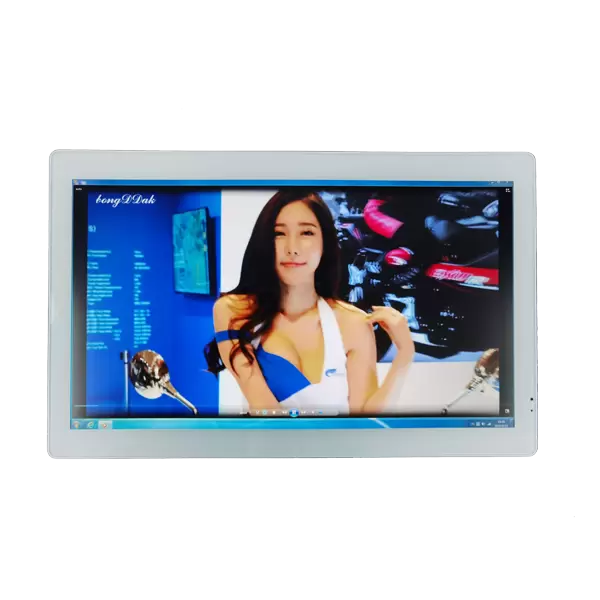
Many buyers focus entirely on brightness specifications while overlooking one of the biggest causes of poor readability—surface reflections.
Strong reflections from sunlight, overhead lighting, or nearby glass walls can significantly reduce image clarity. Even displays with high brightness may struggle when reflections cover important content.
Several design elements influence screen readability:
· Anti-glare glass
· Optical bonding technology
· High contrast ratio
· Matte surface treatments
· Proper installation angle
For commercial digital signage, reducing reflected light frequently improves readability more effectively than increasing brightness alone.
Storefront displays provide a good example. A screen positioned behind large glass windows experiences reflections from both outdoor sunlight and indoor lighting. Improving the screen's optical design often delivers a greater improvement than simply selecting a brighter LCD panel.
This is one reason experienced project engineers evaluate environmental conditions before recommending hardware specifications.
Contrast Ratio Influences Image Quality
Brightness determines how much light a screen produces.
Contrast ratio determines how effectively viewers can distinguish details within that light.
Low contrast causes black areas to appear gray while reducing text clarity and image depth. Promotional graphics become less attractive, and small fonts become harder to read from a distance.
For advertising displays showing product images, menus, or promotional videos, contrast ratio directly affects communication quality.
High-quality advertising displays balance brightness with contrast to create vivid, readable content under different lighting conditions.
Procurement teams should therefore compare more than brightness specifications when evaluating competing products.
Important display characteristics include:
· Brightness
· Contrast ratio
· Color accuracy
· Viewing angle
· Uniformity
· Panel stability
A balanced display typically performs better than one optimized around a single specification.
Viewing Angle Determines How Many People Can See the Screen
Digital signage rarely serves one viewer standing directly in front of the display.
Shopping malls, airports, restaurants, exhibition halls, and transportation terminals all require displays to remain visible from different directions.
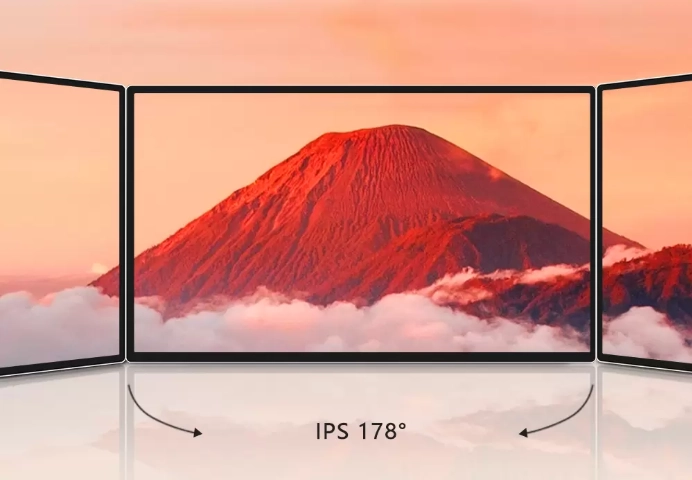
Wide viewing angles help maintain consistent image quality as viewers move around the installation.
IPS panels have become common in commercial digital signage because they maintain brightness and color consistency across wider viewing positions.
This becomes especially important for:
· Retail entrances
· Restaurant menu boards
· Airport information displays
· Shopping mall advertising
· Exhibition displays
· Hospital information systems
Poor viewing angles reduce the effective communication area, even when brightness levels appear sufficient.
Selecting the appropriate panel technology therefore contributes directly to advertising effectiveness.
Heat Management Supports Stable Long-Term Operation
Higher brightness generates additional heat.
Without effective thermal management, elevated operating temperatures may reduce panel lifespan, affect color consistency, and increase maintenance requirements.
Commercial displays often operate continuously for 16 to 24 hours each day. Under these conditions, internal temperatures become a significant engineering consideration.
Reliable LCD digital signage systems typically incorporate cooling strategies such as:
· Optimized ventilation structures
· Industrial-grade power supplies
· Intelligent temperature monitoring
· Efficient heat dissipation materials
· Stable internal airflow
These design elements help maintain image quality during extended operation while reducing the likelihood of unexpected downtime.
Brightness specifications alone cannot indicate whether a display will remain stable after years of continuous commercial use.
Automatic Brightness Adjustment Improves Both Visibility and Energy Efficiency
Lighting conditions rarely remain constant throughout the day.
Morning sunlight, afternoon glare, evening illumination, and interior lighting all affect how people view a screen. A fixed brightness setting cannot deliver the same viewing experience under every condition.
Modern android digital signage systems increasingly include ambient light sensors that automatically adjust screen brightness according to surrounding light levels. Instead of operating at maximum brightness all day, the display increases output only when additional illumination is necessary.
This approach offers several operational benefits:
· Improved visibility throughout the day
· Lower energy consumption
· Reduced heat generation
· Longer backlight lifespan
· More comfortable viewing indoors
For shopping malls, office buildings, hotels, and corporate campuses, automatic brightness control also contributes to lower operating costs over the life of the equipment.
When comparing two commercial displays with similar specifications, intelligent brightness management may provide greater long-term value than selecting the model with the highest nit rating.
Content Design Has a Direct Impact on Screen Readability
Even the brightest display cannot compensate for poorly designed content.
Many businesses invest in premium hardware but continue using advertisements filled with excessive text, low-contrast colors, or small fonts that are difficult to read from a distance.
Effective commercial digital signage relies on communication as much as display technology.
Well-designed content generally follows several principles:
· Large, readable typography
· Strong contrast between text and background
· Limited text on each screen
· High-quality images
· Consistent branding
· Clear calls to action
· Appropriate animation speed
Viewing distance should also influence content design.
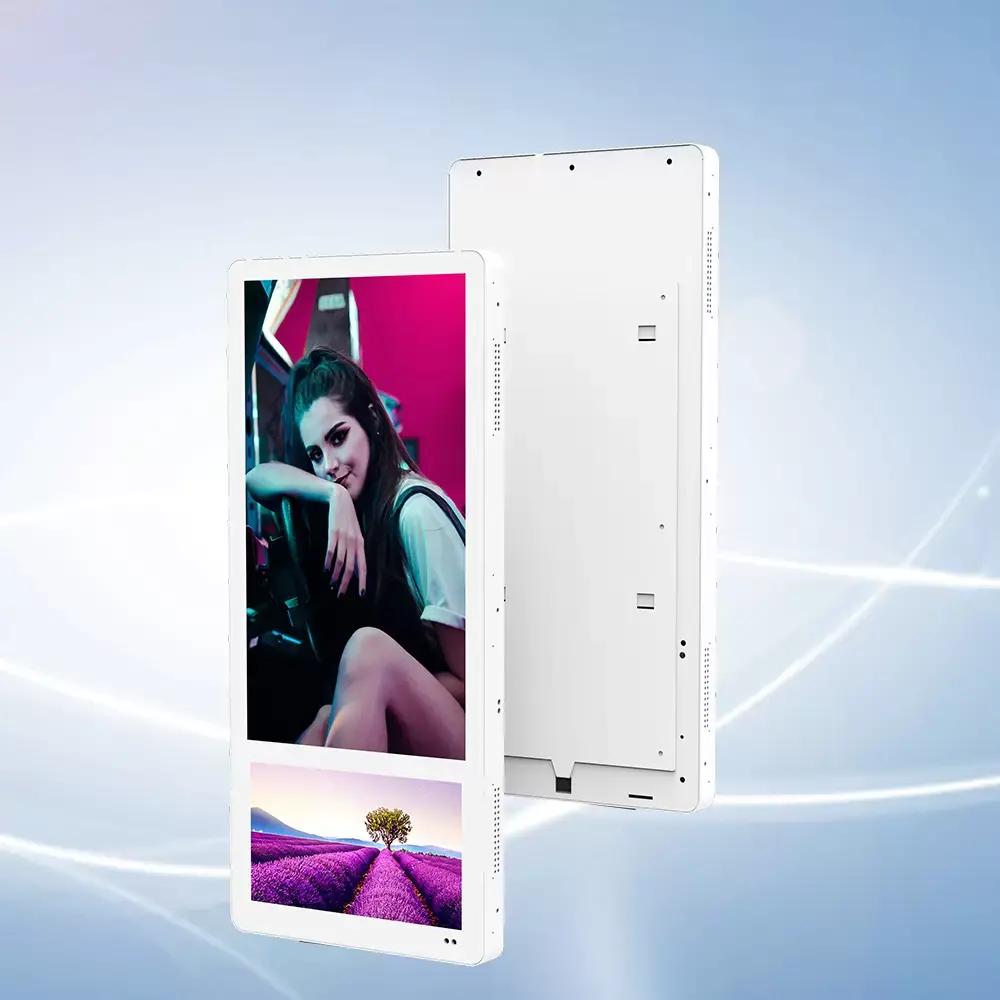
A display installed beside an elevator allows only a few seconds for viewers to absorb information, while a digital menu board inside a restaurant gives customers more time to read details.
Matching content design to the installation environment often produces greater improvements than increasing hardware specifications.
Indoor and Outdoor Displays Require Different Engineering Approaches
Brightness requirements are only one distinction between indoor and outdoor installations.
Outdoor digital signage must withstand changing weather conditions, fluctuating temperatures, airborne dust, humidity, and prolonged exposure to sunlight. Indoor displays, meanwhile, typically prioritize image quality, appearance, and energy efficiency.
These differences affect several engineering decisions.
Consideration | Indoor Digital Signage | Outdoor Digital Signage |
Brightness | Moderate | Very High |
Weather Protection | Standard Enclosure | Waterproof & Dustproof |
Cooling System | Passive or Low-Power | Industrial Thermal Design |
Power Consumption | Lower | Higher |
Maintenance Requirements | Relatively Simple | More Demanding |
Installation Environment | Controlled | Variable Weather Conditions |
Selecting equipment designed specifically for its operating environment improves reliability while reducing maintenance costs throughout the project lifecycle.
Procurement Teams Should Evaluate the Entire Display System
Successful projects rarely result from choosing the display with the highest specification sheet.
Experienced procurement managers evaluate complete system performance instead of focusing on individual parameters.
Before selecting a digital signage manufacturer, buyers should consider:
· Is the display intended for indoor or outdoor operation?
· Does the panel provide consistent image quality over long operating hours?
· Can brightness adjust automatically as lighting changes?
· How effective is the thermal management system?
· What remote management functions are available?
· Is future maintenance straightforward?
· Can spare parts be supplied consistently?
· Does the manufacturer provide OEM or ODM support?
These questions help identify suppliers capable of supporting long-term commercial deployments rather than simply offering competitive pricing.
Brightness Should Be Evaluated Alongside Total Cost of Ownership
Initial purchase price represents only a small portion of a commercial display's lifetime cost.
Energy consumption, maintenance frequency, replacement parts, software updates, and operational downtime all contribute to the total cost of ownership.
For example, selecting an excessively bright display for an indoor environment may result in:
· Higher electricity costs
· Increased internal operating temperatures
· Faster backlight aging
· Greater cooling requirements
· Higher maintenance expenses
Conversely, choosing insufficient brightness for an outdoor installation may reduce advertising effectiveness and require expensive upgrades shortly after deployment.
The most cost-effective solution is not necessarily the brightest display—it is the display that matches the application.
This perspective explains why experienced commercial display manufacturers work closely with customers to understand installation environments before recommending products.
Reliable Manufacturing Supports Consistent Performance
Two displays may appear nearly identical during a short product demonstration.
The real difference often becomes evident after several years of continuous commercial operation.
Consistent manufacturing standards influence every aspect of long-term reliability, including panel stability, internal component quality, structural durability, and production consistency.
An experienced digital signage manufacturer typically invests in:
· Strict quality control procedures
· Industrial-grade electronic components
· Stable production processes
· Comprehensive reliability testing
· Consistent product validation
· Long-term technical support
These capabilities become particularly valuable for distributors and system integrators responsible for maintaining large-scale display networks across multiple customer locations.
Brightness remains an essential specification when selecting digital signage, but it should never be viewed in isolation. Screen visibility depends on a combination of brightness, contrast ratio, viewing angle, optical design, thermal management, installation environment, and content presentation. Ignoring these factors can lead to disappointing results, even when premium display hardware is installed.
For procurement teams, evaluating the complete display system delivers better long-term value than comparing nit ratings alone. Matching brightness to the installation environment, selecting reliable panel technology, planning for continuous operation, and choosing intelligent brightness management all contribute to lower operating costs and improved user experience.
Whether the project involves commercial digital signage, LCD digital signage, android digital signage, retail advertising displays, or public information systems, successful deployments begin with understanding how the display will perform in real operating conditions. Manufacturers capable of combining reliable engineering, consistent production quality, and application-specific recommendations are better positioned to support commercial projects that remain dependable for years rather than simply meeting specifications on paper.