English
 Italian
 Spanish
 Turkish
 Portuguese
 Dutch
 Korean
 Russian
 French
 German
 Polish
 Arabic
 Hindi
Portrait or Landscape? Why Screen Rotation Matters for Portable Smart TVs
Most people are used to watching television in landscape mode. Films, sports, streaming programs, and online presentations are all designed around a wide screen. It is a familiar format, and for a television that stays in the living room, there is usually little reason to change it.
The situation is different when the same screen is used for more than entertainment. Vertical videos are part of everyday media consumption, recipes are often displayed in portrait layouts, and some applications are designed primarily for mobile screens. Moving between these formats can be inconvenient when the display only works in one orientation.
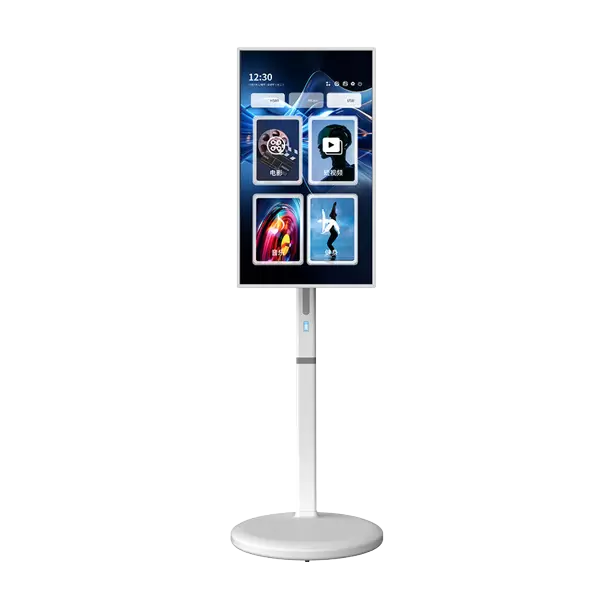
This is one reason some buyers are paying attention to rotatable smart TVs. The ability to switch between portrait and landscape gives users another way to arrange their screen, particularly when the display is also designed to move between rooms.
For a Portable Smart TV, rotation is most useful when it solves a real viewing problem. It should make certain content easier to view, rather than simply add another feature to the specification sheet.
Not All Screen Content Is Designed the Same Way
Landscape remains the preferred format for most television content. A wide screen gives films and television programs room to display scenes naturally. It also suits sports coverage, presentations, video meetings, and documents that contain several columns of information.
Portrait content follows a different layout. Short-form videos, social media posts, digital reading materials, and some mobile applications are designed to use the full height of a screen.
When vertical content is displayed on a conventional landscape television, the result depends on the application. Some platforms place the video in the center with empty space on either side. Others adjust the layout or offer a different viewing interface. Rotating the physical display can provide a more natural fit, but only when the software supports that orientation.
This distinction is important for buyers. A Rotatable Smart TV can change the position of its screen, but it cannot automatically make every application compatible with portrait viewing.
The content, operating system, and application all need to work together.
When Does Portrait Viewing Actually Help?
Portrait mode is not intended to replace landscape viewing. Its value becomes clearer in situations where the original content is already designed vertically.
Watching Short Videos on a Larger Screen
Many people watch vertical videos on their phones during breaks or while relaxing at home. The format is convenient, but a phone screen is not always ideal when several people want to watch together.
A Portrait Smart Display provides more screen space for compatible vertical content. It can be useful for sharing short videos, social media clips, and other mobile-style content with family members.
There is one practical detail worth checking: not every streaming or social media application supports portrait playback on an external display. Buyers who plan to use a particular platform should confirm its compatibility before choosing a model.
Following Recipes in the Kitchen
Recipe pages and cooking applications often use a vertical layout. Ingredients, preparation steps, and instructional images may be arranged from top to bottom, making portrait viewing convenient.
A portable display can be positioned where the instructions are easy to read while preparing food. Once cooking is finished, the screen can be moved elsewhere instead of remaining in the kitchen.
Of course, the display needs a suitable position. It should be kept away from water, steam, cooking heat, and grease. A rolling stand also needs enough room to remain stable without blocking movement around the kitchen.
Reading and Online Learning
Some educational materials, digital books, and learning applications are easier to follow in portrait mode. Others, particularly video lessons and presentations, work better in landscape.
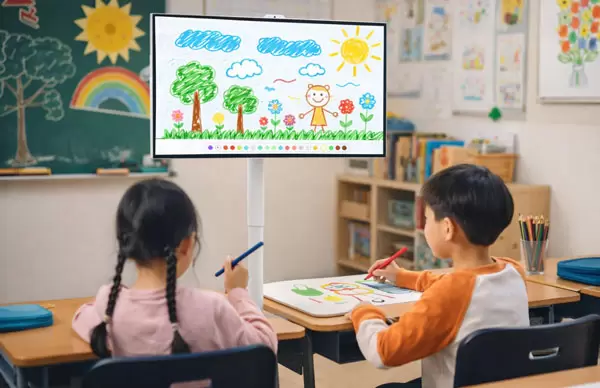
This makes screen rotation useful for households where the display is shared by different users. A parent may use it for a presentation, while a child may use a compatible learning application with a vertical layout.
The benefit is not that every lesson becomes easier to follow. It is that users can select the screen orientation that suits the material rather than being restricted to one format.
Digital Notices and Personal Information
A vertical screen can also be useful for displaying family schedules, reminders, notices, or other information arranged in a tall layout.
For example, a household may want to display a shared calendar or a list of daily tasks in a common area. The portrait format provides more vertical room for information that would otherwise need to be divided across several screens.
These uses depend on the applications and content being displayed. A portable smart display is not automatically a dedicated digital signage system, so buyers should check whether the required software and display functions are supported.
Landscape Still Does Most of the Work
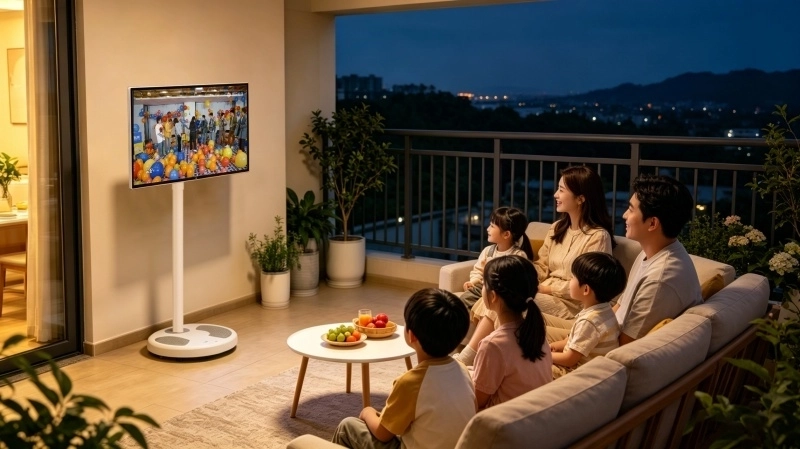
The ability to rotate a screen is useful, but landscape mode remains essential for most home viewing.
A film watched with family members, a live sports match, or a video meeting generally benefits from a wider display. The same applies to presentations and work documents that use horizontal layouts.
For home office use, a landscape screen can show shared documents and meeting participants in a familiar format. It may also be easier to position beside a desk when users need a larger display for reference materials.
A portable television that supports both orientations gives users more choice, but it should still perform well in its normal landscape position. Buyers should pay attention to screen quality, viewing angles, stand stability, and the overall viewing experience rather than choosing a model based on rotation alone.
Rotation Makes More Sense When the Screen Can Move
A rotating display becomes more practical when it is paired with a mobile stand.
Consider a screen that stays in the living room. Even if it supports rotation, users may rarely change its orientation because the television has one main purpose and a fixed viewing position.
A Smart TV on Wheels is designed for a different routine. The display can be moved to a bedroom, study, or another suitable area, then adjusted according to the activity taking place there.
The same screen might be used in landscape mode for a film, moved closer to a desk for a video meeting, and switched to portrait mode for compatible vertical content. Users do not need to install a separate television in every room.
This combination is particularly relevant to smaller homes and multi-purpose rooms. A screen that can move and adjust may be more useful than one that offers rotation but remains tied to a single location.
The stand itself deserves careful attention. A good mobile design should hold the display securely in both orientations, allow convenient movement, and provide enough stability for everyday use.
Before ordering, buyers should check the rotation mechanism, adjustment range, base structure, and wheel design. Doorway width and floor conditions also affect whether the screen can be moved comfortably around the home.
What Buyers Should Check Before Choosing a Rotatable Smart TV
Product descriptions sometimes make screen rotation sound simpler than it is. The physical display may rotate, but the complete viewing experience depends on several other parts of the product.
Rotation mechanism and supported range
Check how the screen changes orientation and whether the adjustment is manual or motorized. The available rotation range should be clear, along with any restrictions on how the display can be positioned.
Application compatibility
Confirm whether the operating system supports portrait and landscape layouts. If vertical video platforms, learning applications, or specific software are important, check their behavior on the actual display.
Screen size and stand dimensions
A larger display may be suitable for shared viewing, but the complete unit also takes up more floor space. Consider the screen dimensions together with the stand base and the area needed for movement.
Viewing adjustment and stability
Height and tilt adjustment can help users position the screen comfortably. The stand should remain stable in both orientations, particularly when the display is moved regularly.
Wireless connections and external devices
Screen casting can make it easier to share content from compatible phones and computers. Buyers should also check the available ports and wireless connectivity according to their intended use.
Power supply and optional features
Some Portable Smart TV models offer built-in battery options, while others require direct power. Touchscreen functionality is also model-dependent. These features should be confirmed against the actual product specification rather than assumed to be included.
For distributors and project buyers, these checks are especially important. A product intended for home entertainment may have different requirements from one used for education, retail displays, or interactive applications.
Does Every Portable Smart TV Need Screen Rotation?
Not necessarily.
For users who mainly watch films, television programs, and sports, landscape viewing may be enough. A fixed-orientation display can meet those needs without requiring additional adjustment functions.
Rotation is more relevant when vertical content forms part of everyday use. It may also appeal to households that share one screen across several activities, particularly when the display can be moved between rooms.
There is another consideration: screen rotation should not be confused with a fully interactive display. A rotatable screen does not automatically offer touchscreen operation, application optimization, or specialized software. Those functions depend on the selected hardware and system configuration.
Buyers should start with the content they intend to display. If most of it is horizontal, rotation may be an occasional convenience. If vertical videos, mobile applications, and portrait layouts are used regularly, the feature may have a more noticeable role.
The decision is less about having as many functions as possible and more about choosing the ones that will actually be used.
FVASEE Portable Smart TV Options for Different Viewing Habits
FVASEE offers portable smart display products for users who want a screen that can fit into different areas of the home. The range includes compact and larger display options, with configurations suited to personal viewing, family entertainment, and shared spaces.
Depending on the selected model, available features may include a rolling stand, adjustable screen position, wireless screen casting, Android-based smart functions, built-in battery options, and touchscreen or non-touchscreen designs.
For buyers who specifically need portrait and landscape viewing, the rotation function should be confirmed with the FVASEE team for the chosen model. It is also worth checking whether the applications used by the target audience support both orientations.
FVASEE provides OEM and ODM services for distributors, retailers, and project purchasers. Screen size, stand structure, operating system, touch functionality, and power configuration can be discussed according to the requirements of the intended market.
A suitable portable display should fit the way people use it. Screen rotation can add value, but the stand, software, connectivity, and overall configuration are just as important.
A More Flexible Way to Use One Screen
Landscape viewing remains the natural choice for films, television programs, and most work presentations. Portrait mode has its place when users watch vertical videos, follow mobile-style applications, or display information arranged in a taller format.
A Rotatable Smart TV gives users the option to switch between these formats. When combined with a rolling stand, it also makes the screen easier to reposition for different activities around the home.
The feature is worth considering when both orientations have a clear purpose in everyday use. Buyers should pay particular attention to application compatibility, rotation design, stand stability, and the actual configuration of the selected model.
For more information about FVASEE Portable Smart TV products, available configurations, or OEM and ODM cooperation, contact the FVASEE team to discuss your requirements.