 English
 Italian
 Spanish
 Turkish
 Portuguese
 Dutch
Dutch Korean
 Russian
 French
 German
 Polish
 Arabic
 Hindi
HindiVertical Elevator Advertising Dual Screens: Making Better Use of Limited Display Space
Why Elevator Advertising Requires a Different Display Approach
An elevator is a small environment with a very specific viewing pattern. Passengers enter from a limited number of directions, remain inside for a relatively short period, and usually stand within a few meters of the display. The available wall area is also restricted by control panels, handrails, doors, lighting, and other fixtures.
These conditions make elevator advertising different from signage installed in a shopping mall corridor or a hotel lobby.
A large screen may not be practical simply because there is not enough horizontal wall space. A conventional advertising display may also have to compete with building notices, service information, or other content that property managers need to present.
This is where a vertical elevator advertising dual screen becomes useful. Instead of putting every message into one display area, the two screens can take on separate roles. One can focus on commercial content, while the other carries property information, promotions, announcements, or another advertising channel.
From a product management perspective, the value is not in adding a second panel for the sake of having two panels. The real question is how the available space can support more useful information without making the passenger experience complicated.
That consideration affects almost every part of the product, from screen proportions and brightness to the enclosure, media player, cooling structure, software, and maintenance process.
Two Screens Give Different Content a Place of Its Own
A single advertising screen has a straightforward limitation: everything has to share the same visual area.
A property owner may want to show a retail promotion, but the same screen may also be needed for a building announcement. A hotel may want to advertise its restaurant while displaying guest services. A commercial office building may need to present tenant information alongside paid advertising.
With one screen, these messages usually have to take turns.
A dual-screen configuration provides another option.
Display | Typical Role | Example Content |
Screen 1 | Commercial content | Brand campaigns, product videos, promotions |
Screen 2 | Information or secondary advertising | Building notices, services, events, directories |
The exact arrangement depends on the project.
Both screens can also be used for advertising. Different campaigns can run on each display, or the two screens can work together for a coordinated campaign.
This gives property operators more freedom when deciding how the available advertising inventory should be used.
For a display manufacturer, this also changes the product requirement. The two screens need to work as a coordinated system while still allowing independent content control when the application calls for it.
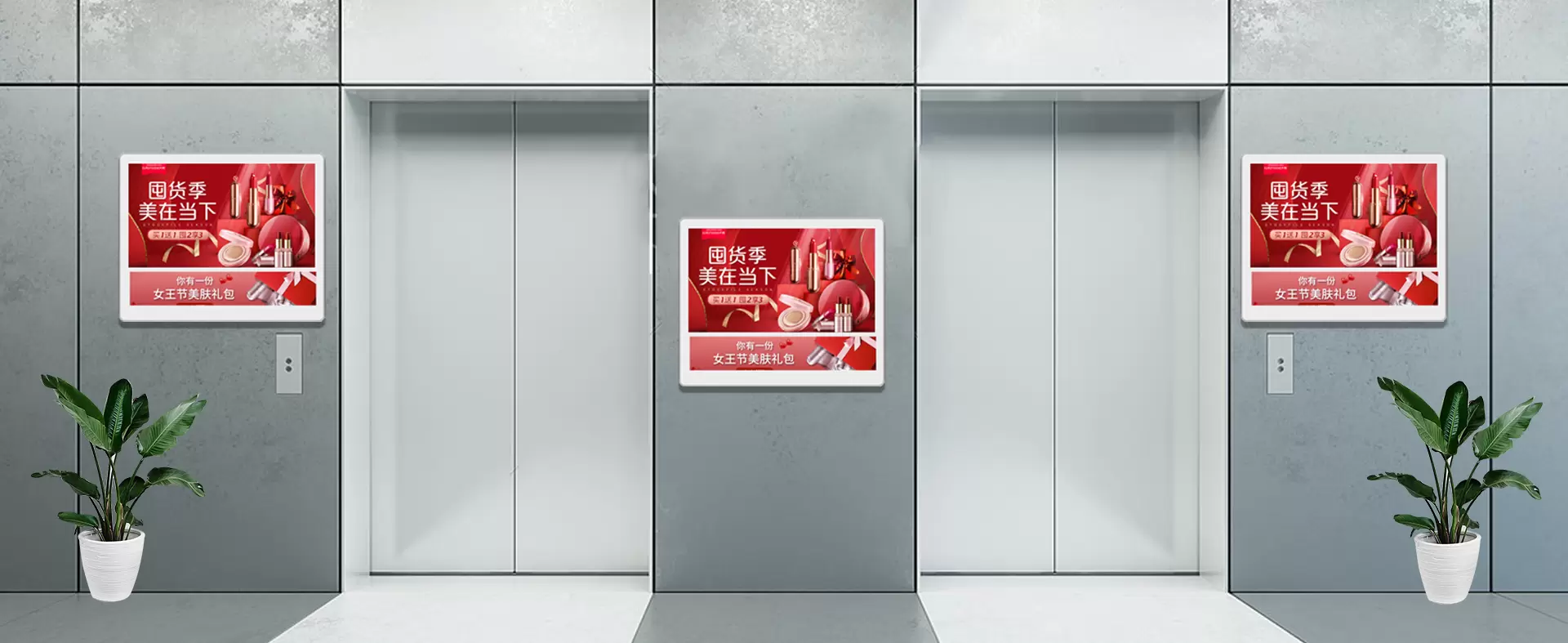
Vertical Orientation Makes Better Use of Elevator Walls
Horizontal space is often the limiting factor inside an elevator.
A wide display may interfere with surrounding equipment or simply take up more wall width than the installation permits. A portrait-oriented display can use more of the available vertical area while keeping the overall footprint relatively narrow.
This is one of the practical reasons vertical digital signage works well in elevators.
There is also a content advantage.
Many advertising materials already use portrait-oriented layouts. Fashion campaigns, people-focused advertisements, product posters, food promotions, event graphics, and mobile-style creative content can fit naturally into a vertical screen.
A portrait display allows the original composition to remain intact instead of forcing the advertiser to crop important elements or leave large unused areas.
For an advertising network, this matters because the hardware should not create unnecessary work for the content team.
The Viewing Distance Changes What the Display Needs to Deliver
Passengers usually view an elevator screen from a short distance. That sounds simple, but it changes the requirements for the display.
Small text that might be readable from several meters away on a large public screen can become unnecessarily difficult to read when the content is presented at close range. On the other hand, excessive brightness or poor image calibration can make a screen uncomfortable in a confined space.
For an elevator advertising display, several specifications need to be considered together:
· Screen size
· Resolution
· Brightness
· Contrast
· Viewing angle
· Surface reflection
· Content type
· Installation position
There is no single brightness value that is ideal for every elevator.
An elevator with strong LED lighting and reflective metal surfaces may require different display characteristics from one with softer interior lighting. The screen should remain visible without becoming excessively bright for passengers standing nearby.
Viewing angle is also important. Passengers do not always stand directly in front of the display. Someone may enter and remain near one side of the cabin, while another passenger may stand closer to the opposite wall.
Consistent image quality from different positions helps maintain the usefulness of the advertising area.
Content Has Only a Short Window to Get Attention
An elevator passenger is not necessarily waiting to watch an advertisement.
The display has to work even when someone looks at it for only a few seconds.
This places greater importance on content hierarchy. The main message should be visible quickly, while supporting information can occupy a secondary position.
For advertisers, practical content usually has several characteristics:
· A clear headline
· Strong visual focus
· Limited supporting text
· Readable typography
· Consistent branding
· A simple call to action
· Short, well-paced video
The hardware should support this type of content rather than get in its way.
For example, a slow media player can interrupt video playback. Poor contrast can weaken text. Uneven brightness between two screens can make a coordinated campaign look inconsistent.
The display is therefore part of the communication chain. Panel quality, media playback, and content presentation need to work together.
The Two Screens Do Not Have to Show the Same Thing
One of the strongest advantages of a dual screen digital signage system is independent content management.
There are several ways to use the two displays.
Separate Commercial Content
Each screen can carry different campaigns. This can be useful in shopping malls or commercial buildings where advertising inventory needs to be divided among multiple brands.
Advertising Plus Property Information
One display can remain dedicated to advertising while the second provides building information, services, announcements, or directories.
Coordinated Campaigns
Both displays can be used together when a campaign needs a larger visual presence. Related graphics or synchronized video can create a unified presentation.
Different Content by Time
During business hours, one screen may carry commercial advertising. At other times, the property operator can use it for announcements or internal communication.
This flexibility gives the property owner more control over the display network and creates more possibilities for future use.
The Enclosure Needs to Match a Public Environment
The display panel gets most of the attention during product comparisons, but the enclosure has a major effect on long-term performance.
An elevator is a high-frequency public space. Equipment can be touched, bumped, cleaned repeatedly, or exposed to accidental contact with luggage and other objects.
The enclosure therefore needs enough structural strength to protect the internal components without making the product unnecessarily bulky.
A practical elevator display screen should take the following into account:
· Structural strength
· Panel protection
· Mounting points
· Cable routing
· Ventilation
· Surface durability
· Service access
The installation method also matters.
The available wall structure differs between elevator models and building projects. A product intended for large-scale deployment should allow the installation team to work with the actual conditions rather than rely on a rigid mounting arrangement that only suits one type of cabin.
Good enclosure engineering is a balance. Too much material increases weight and installation difficulty. Too little protection leaves the display vulnerable to everyday use.
Thermal Management Cannot Be Ignored
A commercial display may operate for many hours each day, and the heat generated by the panel and internal electronics has to be managed continuously.
A dual-screen unit puts more active components into the same installation area. If the internal structure does not provide an effective heat path, temperatures can rise during extended operation.
This is particularly relevant in an enclosed elevator environment.
A product engineer needs to consider:
· Heat-producing components
· Internal airflow
· Ventilation openings
· Component placement
· Ambient temperature
· Daily operating hours
The enclosure should allow heat to move away from critical components without compromising the overall structure.
Cable placement also matters. Poorly organized wiring can block airflow and make service work unnecessarily difficult.
For equipment intended for commercial deployment, thermal performance should be considered as part of reliability rather than treated as a secondary engineering detail.
The Media Player Determines More Than Playback Quality
A digital advertising display is only useful if the content can be delivered reliably.
The media player may need to handle videos, images, playlists, scheduled content, and network updates. The requirements become more demanding when a customer manages multiple displays across different buildings.
A basic installation may only require local playback. A larger advertising network may need:
· Scheduled playlists
· Remote content updates
· Different content by location
· Screen grouping
· Playback monitoring
· Network connectivity
· Local storage
· Automatic restart after power interruption
For a digital advertising screen, the media system should match the customer's operating model.
If ten elevators are installed in one building, local content updates may be manageable. If a property group operates hundreds of screens across multiple locations, centralized management becomes much more practical.
The hardware platform should leave room for that difference.
Long Operating Hours Change the Procurement Priorities
A display that performs well during a product demonstration is not automatically suitable for commercial deployment.
The real test is repeated operation.
Elevator advertising displays may run for most of the day, every day. A minor issue that appears once during testing can become a significant maintenance problem when the same equipment is installed across a large network.
Procurement teams should therefore look beyond the initial purchase price and consider the operating cycle:
Daily Usage → Heat Generation → Component Stability → Maintenance → Downtime
This is particularly important for large projects.
If one display requires frequent service, the cost may initially appear manageable. If the same issue occurs across dozens of units, technician time, transportation, replacement parts, and advertising downtime can add up quickly.
Reliability should therefore be evaluated as a system-level requirement.
Maintenance Access Is a Product Requirement
Elevator installations do not offer technicians the same working conditions as a normal office or retail wall.
Service personnel may have limited room to work and may need to coordinate access with the building operator or elevator maintenance team.
That makes serviceability an important part of the product structure.
The design should provide practical access to components that may need attention, including:
· Power connections
· Media player
· Storage components
· Internal cables
· Display modules
· Ventilation areas
Cable routing should also be organized from the beginning.
A well-arranged internal structure reduces troubleshooting time and makes replacement work more predictable.
For a large deployment, standardized components can provide another advantage. If the same hardware platform is used throughout a building or property group, maintenance teams can keep a consistent set of spare parts and follow a common service procedure.
Different Properties Need Different Content Strategies
The hardware may be similar, but the purpose of the screens changes with the location.
Location | Commercial Content | Supporting Information |
Shopping Mall | Store promotions, seasonal campaigns | Floor directory, events |
Hotel | Restaurants, facilities, local promotions | Guest services, hotel information |
Office Building | Brand advertising, tenant promotions | Building notices, tenant directory |
Hospital | Health-related campaigns, services | Department information, notices |
Residential Complex | Local promotions | Community announcements, services |
This is why a vertical elevator advertising machine should not be evaluated only as a display product.
The same physical platform may support several business models. One customer may use it primarily as an advertising channel, while another may need it as a combination of advertising and property information.
OEM and customization capabilities become valuable when the customer requires different enclosure dimensions, screen configurations, operating systems, peripherals, or branding.
What Procurement Teams Should Check Before Ordering
The right product cannot be determined from screen size alone.
A project specification should cover the complete equipment configuration.
Display Performance
Check:
· Screen size
· Resolution
· Brightness
· Viewing angle
· Contrast
· Panel consistency
Hardware Platform
Check:
· Processor performance
· Storage
· Operating system
· Network connectivity
· Media playback capability
· Power management
Physical Construction
Check:
· Enclosure material
· Mounting method
· Panel protection
· Cable management
· Ventilation
· Maintenance access
Content Management
Check:
· Playlist scheduling
· Remote updates
· Multi-screen control
· Location-based content
· Device monitoring
Project Support
Check:
· OEM/ODM capability
· Installation guidance
· Spare parts
· Warranty terms
· Technical support
· Long-term supply stability
This approach gives buyers a clearer picture of what they are actually purchasing.
A lower-priced display may appear attractive at the quotation stage, but if its enclosure is difficult to service or its media system cannot support the customer's content requirements, the initial saving may disappear during operation.
A Dual-Screen Product Has More Value When Each Screen Has a Purpose
The main advantage of a dual-screen elevator display is not simply that it provides twice the number of panels.
It gives the property owner more ways to organize information within a very limited physical space.
One screen can sell. The other can inform.
Both can advertise.
Or the two can work together as one campaign.
That flexibility makes the product suitable for environments where advertising revenue and practical information need to coexist.
For manufacturers, the product challenge is therefore broader than choosing an LCD panel. The screen, enclosure, media player, cooling structure, mounting system, software, and service model all need to work as one product.
For buyers, the same principle applies. The best vertical elevator advertising dual screen is not necessarily the one with the highest specification or lowest unit price. It is the configuration that matches the elevator space, passenger traffic, content strategy, operating hours, and maintenance plan.
When those factors are considered from the beginning, a dual-screen elevator display can turn a narrow and highly constrained installation area into a dependable channel for advertising, property communication, and customer information.