 English
 Italian
 Spanish
 Turkish
 Portuguese
 Dutch
Dutch Korean
 Russian
 French
 German
 Polish
 Arabic
 Hindi
HindiWhat Makes Outdoor Bus Stop Digital Signage Reliable in Harsh Weather?
A digital display at a bus stop has a very different job from a screen installed inside a shopping mall or office building. It has to remain visible in changing daylight, operate through long service hours, and continue working while exposed to rain, dust, temperature changes, and frequent public use.
That makes the product more than an outdoor advertising screen. A bus stop digital signage system has to combine display performance, enclosure protection, thermal management, electrical stability, media playback, and maintenance considerations in one piece of equipment.
For a manufacturer, these requirements cannot be treated separately. Improving protection may affect heat dissipation. Increasing display output can increase power consumption and heat generation. Making an enclosure more compact can make maintenance more difficult. Every specification has to work with the others.
This is why reliability in outdoor digital signage starts with the product structure rather than a single specification.
What Makes a Bus Stop Display Different From Indoor Digital Signage?
An indoor commercial display operates in a relatively controlled environment. Temperature changes are limited, rain is not a concern, and the equipment is usually protected from direct exposure to dust and moisture.
A bus stop does not offer those conditions.
The display may be exposed to:
· Rain and high humidity
· Dust and airborne particles
· Direct sunlight
· Large temperature changes
· Strong seasonal weather
· Frequent passenger traffic
· Repeated cleaning
· Accidental physical contact
· Long daily operating hours
The product therefore needs a more comprehensive approach to protection.
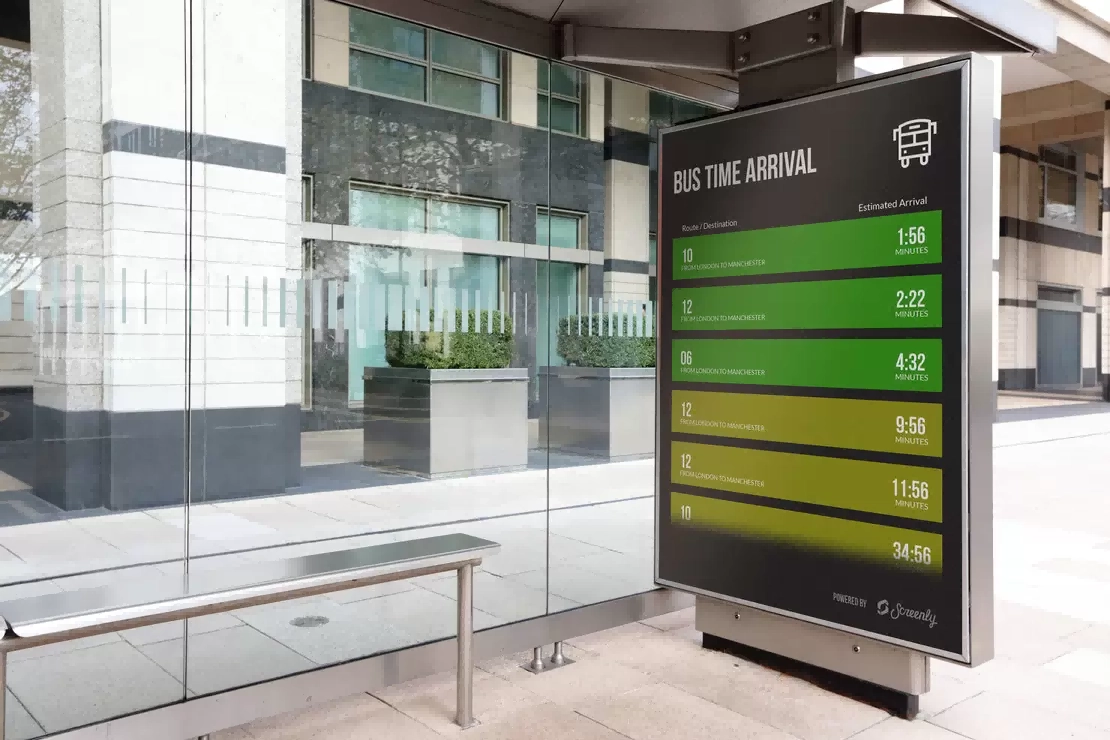
For a bus shelter digital signage project, the display should be considered as an outdoor electronic system rather than simply an LCD panel placed behind a protective cover.
The enclosure, front panel, internal electronics, power system, cooling structure, and mounting arrangement all contribute to the final operating performance.
How Does Weather Protection Affect the Product?
Moisture is one of the most obvious risks for outdoor electronic equipment.
Rainwater can enter through gaps in the enclosure, cable openings, ventilation areas, or poorly protected joints. High humidity can create another problem even when rain does not directly reach the equipment.
For this reason, outdoor display construction needs to control the paths through which water and moisture could reach sensitive components.
The enclosure should provide appropriate protection around:
· The display panel
· Power supply
· Media player
· Internal wiring
· Connection ports
· Cooling areas
· Service openings
The exact protection level should match the installation environment and project requirements.
A display installed under a well-protected bus shelter may face different conditions from one installed directly beside an open roadside platform.
This distinction matters during product specification. An outdoor display should be matched to the actual site instead of relying on a generic assumption that every outdoor installation has the same weather exposure.
Why Temperature Range Matters for Outdoor Displays
Temperature is another major consideration.
An outdoor display can experience very different conditions between early morning, midday, and evening. Seasonal changes can make the difference even greater.
During summer, the enclosure may absorb heat from the surrounding environment and sunlight. During winter, low ambient temperatures can affect electronic components and startup behavior.
The display therefore needs to operate within a suitable temperature range for the target market.
Product engineers need to consider:
· Ambient temperature
· Internal heat generation
· Solar exposure
· Operating hours
· Power consumption
· Component temperature limits
· Heat dissipation
The important point is that outdoor temperature and internal temperature are not the same thing.
A display can be installed in a relatively moderate climate and still develop significant internal heat if the enclosure receives direct sunlight and the electronics operate continuously.
This is why thermal management needs to be evaluated together with the display and enclosure.
Why Protection and Cooling Have to Work Together
Outdoor protection creates a practical engineering challenge.
A well-sealed enclosure helps keep water and dust away from internal components. At the same time, electronic components generate heat during operation and need a way to dissipate that heat.
A completely sealed box is not automatically a better product.
The product needs an appropriate thermal path that allows heat to move away from critical components while maintaining the required level of environmental protection.
This can involve:
· Internal heat sinks
· Carefully positioned ventilation structures
· Thermal conduction through the enclosure
· Component placement
· Separation of heat-producing components
· Temperature monitoring
The solution depends on the hardware configuration and environmental requirements.
For an outdoor digital signage manufacturer, this balance is one of the more important engineering considerations. Weather protection and heat management cannot be optimized independently.
What About Direct Sunlight?
Outdoor bus stop displays have another challenge that indoor displays rarely face: strong ambient light.
Passengers may view the screen in the morning, around midday, in the afternoon, or after sunset. The visual conditions can change considerably during the day.
The display needs sufficient image visibility for the intended location, but brightness is only one part of the equation.
Other factors include:
· Screen surface
· Contrast
· Viewing angle
· Content layout
· Reflection
· Installation direction
· Ambient lighting
This is particularly important because passengers may not stand directly in front of the display.
A bus stop display should remain useful when a passenger approaches from the side, waits several feet away, or looks at the screen while standing in a crowded shelter.
The goal is consistent information visibility rather than simply pursuing the highest possible brightness specification.
Why Viewing Angle Matters at a Bus Stop
A conventional indoor screen may be positioned directly in front of a seated audience. A bus stop display has a less predictable audience position.
Passengers can stand:
· Directly in front of the screen
· At an angle
· Near one side of the shelter
· Several steps away
· In groups that partially block the viewing path
A suitable outdoor LCD display should therefore provide useful visibility across the expected viewing area.
This becomes particularly important for information such as route updates, schedules, public notices, and service announcements. If the information becomes difficult to read from an angle, the screen loses part of its practical value.
For advertising content, the same principle applies. Wider usable viewing angles can increase the number of passengers who can see the campaign while waiting.
Continuous Operation Requires a Different Reliability Standard
A bus stop display is not normally switched on only when someone wants to use it.
Depending on the project, the equipment may operate for long periods every day. Some systems may remain active from early morning until late at night, while others may be required to operate continuously.
This places greater pressure on:
· Power supply stability
· Thermal performance
· Display components
· Media playback
· Internal connections
· System software
For a single unit, an occasional failure may seem manageable. For a city-wide deployment involving dozens or hundreds of displays, repeated failures become an operational problem.
Maintenance teams may need to visit multiple locations, arrange access to roadside equipment, replace components, and restore service.
The cost therefore extends beyond the failed component itself.
A reliable digital bus stop display should be evaluated according to its expected operating cycle and maintenance environment.
What Should the Media System Handle?
The screen is only the visible portion of a digital signage system.
Behind it, the media player needs to deliver the content reliably. Depending on the project, this may include advertising videos, static promotional images, transportation information, public notices, or scheduled messages.
A commercial deployment may require:
· Local media playback
· Scheduled content
· Network connectivity
· Remote content updates
· Playlist management
· Different content by location
· Automatic restart
· Storage for media files
For a small project, local content management may be sufficient.
For a large transportation network, remote management becomes much more valuable. Operators can update multiple displays without sending technicians to every bus stop.
This is especially useful when information needs to change quickly.
For example, a transportation operator may need to replace a regular message with a temporary service notice. A centralized content platform can make that change across selected locations without physically accessing the equipment.
How Should Advertising and Passenger Information Coexist?
A bus stop display can serve two different purposes.
It can provide practical information to passengers, and it can generate advertising value for the operator or property owner.
These purposes need to be planned carefully.
A display filled entirely with advertising may reduce its usefulness for passengers. A screen dedicated only to public information may leave commercial opportunities unused.
Content scheduling can provide a practical balance.
For example:
· Route or service information can occupy a fixed portion of the schedule.
· Advertising can rotate during defined time periods.
· Public announcements can be inserted when necessary.
· Local businesses can receive scheduled promotional slots.
· Emergency or priority messages can override normal content when required.
This makes the digital display more useful than a static advertising board because the content can change according to time, location, and operational requirements.
What Role Does the Enclosure Play in Long-Term Use?
The enclosure is responsible for more than appearance.
It protects the internal electronics, supports the display, provides mounting points, and helps control the relationship between environmental protection and heat dissipation.
For outdoor applications, the enclosure should be evaluated for:
· Structural strength
· Moisture protection
· Dust protection
· Corrosion resistance
· Cable entry protection
· Service access
· Thermal performance
· Mounting stability
The material and surface treatment should also correspond to the installation environment.
A coastal location, for example, may present different corrosion concerns from an inland city. A roadside installation may face more dust and vehicle emissions than a protected station inside a commercial complex.
This is why the same outdoor advertising display configuration may not be suitable for every geographic location without considering the site conditions.
Maintenance Has to Be Considered Before Installation
Outdoor equipment is usually harder to service than indoor equipment.
A technician cannot simply roll a display away from a wall and work on it at a convenient desk. The location may be beside a road, inside a bus shelter, or within a public transportation area.
Access may also need to be coordinated with local operators.
For that reason, maintenance should be considered during product specification.
Useful design considerations include:
· Accessible service panels
· Organized internal wiring
· Replaceable components
· Clear cable routing
· Secure enclosure access
· Standardized internal components
· Remote device monitoring
For larger projects, standardization can reduce maintenance complexity.
If a transportation authority operates hundreds of similar units, using a consistent hardware platform allows service teams to become familiar with the equipment and reduces the number of different spare parts that need to be kept in stock.
What Should Buyers Check Before Choosing a Bus Stop Display?
Price and screen size are usually easy to compare between suppliers. They are not enough to evaluate an outdoor display.
A more complete specification should cover several areas.
Display
· Screen size
· Resolution
· Brightness
· Contrast
· Viewing angle
· Surface treatment
Environmental Protection
· Weather resistance
· Dust protection
· Moisture protection
· Operating temperature
· Corrosion considerations
Hardware
· Media player
· Storage
· Network connectivity
· Power supply
· Thermal management
Mechanical Structure
· Enclosure material
· Mounting structure
· Cable routing
· Service access
· Front-panel protection
Software and Management
· Content scheduling
· Remote updates
· Playlist management
· Device monitoring
· Multi-location control
Project Support
· OEM/ODM options
· Installation support
· Spare parts
· Warranty
· Technical service
These specifications should be evaluated according to the project rather than treated as a checklist where every item simply needs the highest number.
Does Every Bus Stop Need the Same Configuration?
Not necessarily.
A bus stop in a mild climate may have different requirements from one exposed to heavy rainfall, extreme summer temperatures, or winter freezing.
The installation itself also matters.
A display under a deep shelter has a different level of weather exposure from one positioned at an open roadside location.
Passenger traffic also changes the requirements. A major transportation hub may need stronger content management and monitoring capabilities than a low-traffic suburban stop.
The product configuration should therefore begin with the site.
Important project information includes:
· Geographic location
· Climate
· Installation position
· Shelter structure
· Viewing distance
· Expected operating hours
· Passenger volume
· Content type
· Network conditions
· Maintenance arrangements
This information allows the equipment to be specified according to actual operating conditions.
Outdoor Bus Stop Digital Signage Is a System, Not Just a Screen
The most reliable bus stop display is not determined by one impressive specification.
A bright panel cannot compensate for poor thermal management. A strong enclosure cannot solve unstable media playback. A reliable media player cannot make up for inadequate weather protection.
The product works when these elements support each other.
For manufacturers, that means outdoor display development needs to consider the complete equipment architecture. For buyers, it means looking beyond the panel and asking how the unit will behave after months of daily outdoor operation.
A vertical or landscape outdoor bus stop digital signage system can provide advertising, public information, transportation updates, and local announcements in one location. Its practical value depends on whether passengers can see the information clearly and whether operators can keep the equipment running without excessive maintenance.
Weather is only one part of that equation, but it is a useful starting point because outdoor conditions expose weaknesses that may remain hidden during indoor testing.
When protection, thermal management, display performance, power stability, media control, and serviceability are considered together, an outdoor bus stop display becomes a dependable piece of public infrastructure rather than simply another commercial screen.