 English
 Italian
 Spanish
 Turkish
 Portuguese
 Dutch
Dutch Korean
 Russian
 French
 German
 Polish
 Arabic
 Hindi
HindiWhat Should Be Checked Before Ordering Interactive Displays in Bulk?
The sample looks good, the price has been confirmed, and the project schedule is already moving forward. Then a problem appears: the mounting holes do not match the existing brackets, the software needs a different operating system, or the touch function does not work properly with the application used by the customer.
These details are easy to miss when an interactive display is evaluated only from a specification sheet. They become much harder to deal with once hundreds of units have entered production.
For commercial projects, bulk purchasing needs to cover more than screen size, resolution, and unit price. Hardware configuration, touch performance, software compatibility, installation, quality control, packaging, and technical support should all be confirmed before production starts.
Start With the Actual Project Requirements
The first check should be the application, not the product catalogue.
A wall mounted touch screen display used in a retail store may need product browsing, customer self-service, digital catalog functions, or connection with a store management system. An interactive display installed in a school or training center may have different requirements for touch points, operating systems, external computers, and software.
The purchasing team should first confirm:
· Where will the displays be installed?
· Who will operate them?
· Will users interact with the screen individually or in groups?
· Which software will run on the display?
· Is Android sufficient, or is Windows required?
· Does the project require external PCs or other equipment?
· How will the display be mounted?
· What ports and network connections are needed?
These questions give the manufacturer a clearer technical reference before the model is finalized.
For projects involving a commercial touch display, this step can also prevent the common situation where the hardware meets the listed specifications but does not fit the actual application.
Test a Sample With the Intended Software
A sample should be treated as a working project unit rather than simply a product sample.
The screen should be tested with the software that will eventually be used in the project. Touch response, page switching, scrolling, video playback, external connections, and system stability should all be checked under normal operating conditions.
For an interactive display, pay particular attention to touch performance around the edges and corners. Multi-touch functions should also be tested when several users may operate the screen at the same time.
The display itself may perform well in a factory test, while the customer's application introduces different requirements. Testing the complete combination of hardware and software gives a more useful result.
The sample should also represent the final production configuration. If the sample uses one mainboard, touch panel, operating system, or interface arrangement and the mass-production units use another, the original test loses much of its value.
Confirm the Hardware Configuration Before Production
Screen size is only one part of an interactive display specification.
A touch screen display supplier should be able to provide a clear configuration covering the panel, brightness, resolution, touch technology, mainboard, operating system, interfaces, speakers, wireless functions, and other required components.
The port configuration deserves particular attention. Depending on the project, HDMI, USB, LAN, audio, RS232, Wi-Fi, or Bluetooth may be required.
The physical dimensions also need to be recorded. This includes the overall size, screen thickness, mounting points, cable position, and rear clearance.
For a multi-location project, keeping the same hardware configuration across the batch makes installation and later maintenance much easier.
Check the Mounting and Installation Conditions
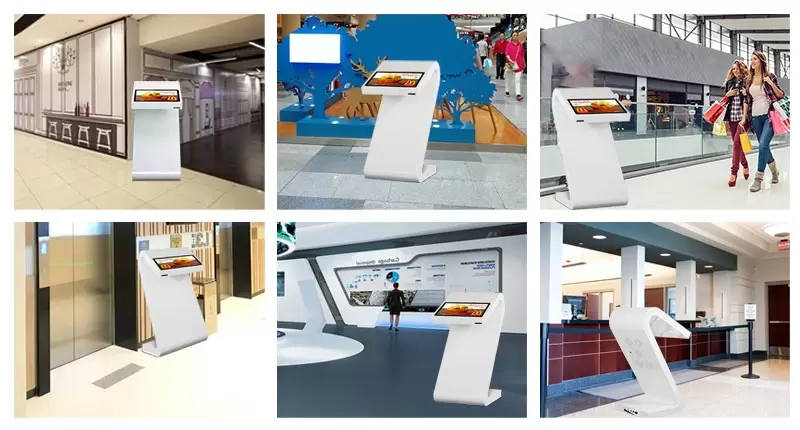
A wall mounted touch screen display needs to work with the actual wall structure and installation method.
The weight and dimensions of the selected model should be checked against the mounting bracket and wall structure. Cable routing should also be planned before the installation team arrives.
For larger displays, the location of the power socket, network connection, external PC, and other equipment can affect the final installation position. A few centimetres of difference in cable access or mounting-hole placement may not matter during product selection, but they can create additional work on site.
For projects covering several stores, schools, offices, or public facilities, standardizing the installation method can reduce repeated adjustments at each location.
Check Touch Technology Instead of Treating It as One Specification
Not every touch application needs the same configuration.
Infrared touch can be suitable for large interactive screens and applications involving multiple users. Capacitive touch may be preferred for certain interface designs and operating habits. The right choice depends on the intended use, screen structure, software, and user environment.
The sample test should therefore cover the actual interaction expected from the project.
For instance, a customer using a retail product catalogue may mainly tap buttons, scroll through product pages, and compare information. An education application may involve several students touching the screen at the same time.
The touch technology should be evaluated according to those real actions rather than simply checking whether the product is labelled as a “multi-touch display.”
Set a Clear Quality Standard for the Production Batch
One approved sample does not automatically define the quality standard for hundreds of units.
Before production, the buyer and interactive display manufacturer should confirm which specifications must remain consistent across the complete order.
These may include:
Item | What to Check |
Display panel | Resolution, brightness, viewing angle and image quality |
Touch system | Touch accuracy, response and multi-touch performance |
Mainboard | Processor, memory, operating system and stability |
Interfaces | HDMI, USB, LAN, audio and other required ports |
Physical structure | Dimensions, frame, glass and mounting points |
Software | Pre-installed applications and system configuration |
Accessories | Brackets, cables, remote controls and other items |
Packaging | Carton strength and internal protection |
For a professional commercial display manufacturer, production inspection should cover both appearance and function. Dead pixels, glass defects, frame assembly, touch response, ports, image quality, and system operation should be included in the inspection process.
A written acceptance standard also makes communication easier if a quality issue appears during delivery.
Packaging and Transportation Need Their Own Check
Large interactive displays are not easy products to transport.
The packaging needs to protect the screen, frame, glass, accessories, and electronic components during loading and delivery. International shipments require additional attention because the displays may pass through several transportation stages before reaching the final installation site.
For a large project, packaging should also be consistent across the shipment. Clear product labels and accessory identification can make receiving and distribution easier when many units arrive at the same time.
This part of procurement is sometimes overlooked because it does not appear in the product specification. In practice, damaged screens or missing accessories can delay installation just as much as a hardware problem.
Confirm OEM and ODM Requirements Early
Projects with customized branding, housing, software, boot screens, interfaces, or hardware configurations need to be discussed before production begins.
An OEM and ODM project should have a clear approval process for samples, artwork, software settings, packaging, labels, and final specifications.
The same principle applies when working with an interactive display manufacturer on a long-term project. The final approved configuration should be documented so future orders can follow the same standard.
This becomes particularly important when a customer plans to purchase additional units several months later. Keeping the production records clear makes it easier to confirm whether the new batch matches the previous installation.
After-Sales Support Should Be Part of the Purchase Decision
Technical support becomes more important as the number of deployed displays increases.
Before placing the order, confirm the warranty period, troubleshooting process, spare parts availability, replacement procedures, and technical support channels.
For a project with multiple installation sites, it is also useful to keep the final hardware and software configuration on record. When a problem occurs later, the supplier can identify the corresponding product version more quickly.
A reliable touch screen display supplier should be able to support the product beyond the shipment itself, particularly when the displays are being used as part of a larger commercial system.
Bulk Procurement Is Really About Keeping Every Unit Consistent
Price is only one part of the purchasing decision. The bigger concern with a large interactive display order is whether every unit can arrive with the same configuration and work within the same project environment.
A practical procurement process should therefore follow the complete path:
Project requirements → Sample testing → Hardware confirmation → Software testing → Installation check → Production QC → Packaging → Delivery → After-sales support
When these points are confirmed before production, the purchasing team has a much clearer reference for acceptance, while the manufacturer has a defined production standard to follow.
For FVASEE, this type of project can also be handled through its OEM and ODM manufacturing process, covering technical confirmation, sample development, production, quality control, packaging, and after-sales support.